
Included in every plan
An online mortgage application form borrowers actually finish.
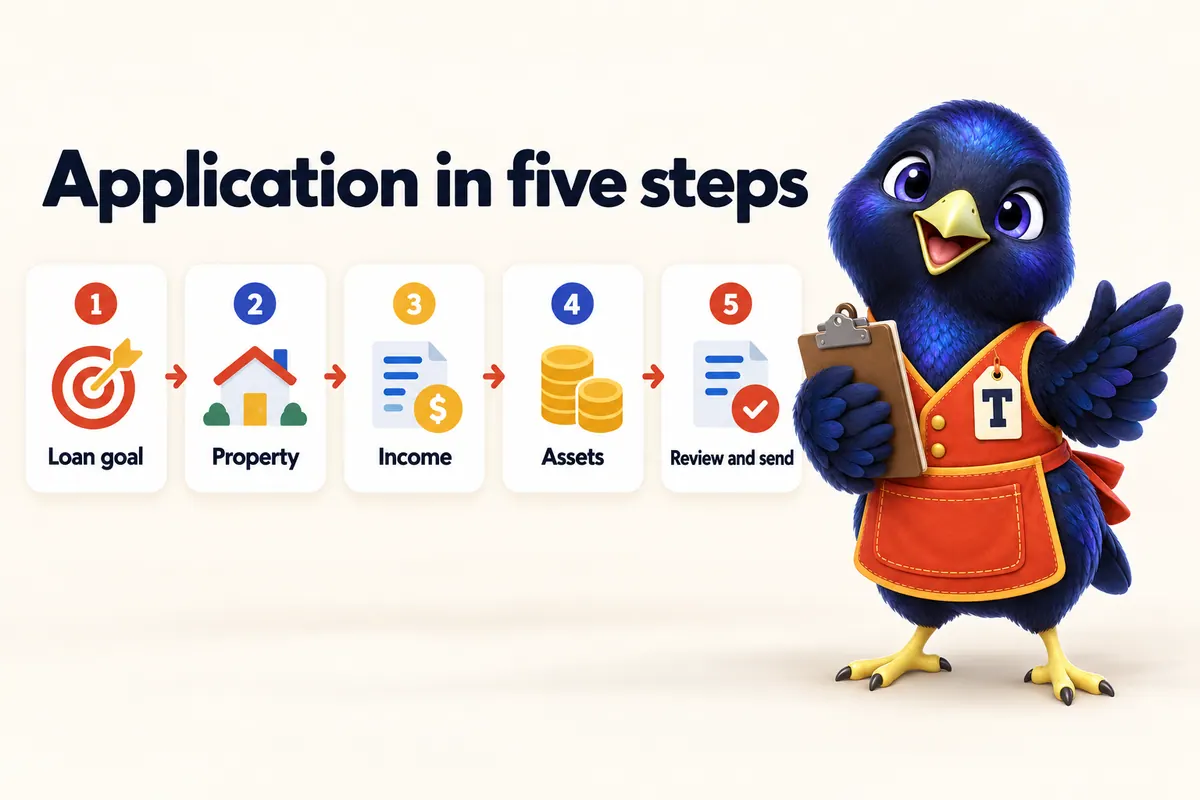
Long applications scare people off. Your site offers a short, friendly first step in the style of the 1003 (the Uniform Residential Loan Application), then hands sensitive details to your secure portal.
Try the application demo
Demo · nothing is sent
- 1Loan goal
- 2Property
- 3Income & work
- 4Assets
- 5Review
Step 1 of 5
Definition
What is a 1003 / urla?
The Uniform Residential Loan Application, often called the 1003, is the standard form lenders use to collect a borrower's loan, property, income, asset and declaration details. A website pre-application collects the first part in a friendly way and passes the rest to a secure system.
Five short steps
Goal, property, income, assets, review. Progress always visible.
No SSNs on web forms
Sensitive details belong in your secure portal, so we never ask for them on the site.
Your portal, one click away
If your company has an application portal, every apply button can point to it.
Saved to your CRM
Showroom and Flagship plans send pre-applications into the included CRM with source and page.
Set-up
How online application get set up
-
01
Choose the route
Pre-application form, your portal link, or both.
-
02
Set questions
Keep it short; add program-specific questions if needed.
-
03
Connect
Route to your CRM, email or portal.
-
04
Test
We submit test entries before launch.
What you get
- Validation with friendly errors
- Keyboard and screen-reader friendly
- Spam protection without puzzles for people
- Consent language for contact
What it does not do
- Not a loan origination system
- Does not pull credit
- Full 1003 completion happens in your secure portal
Which plans include online application?
MWS-SHELF
Shelf · $89/mo
Included
MWS-SHOWROOM
Showroom · $169/mo
Included
MWS-FLAGSHIP
Flagship · $289/mo
Included
Full details on the pricing page.
Works well with
CRM & follow-up
Mortgage CRM follow-up included with your site: a simple pipeline, instant texts and emails, reminders and a s…
Mortgage calculators
Five working mortgage calculators for your website: payment, affordability, refinance break-even, DTI and DSCR…
Compliance block
Mortgage website compliance explained: NMLS ID display, Equal Housing Opportunity, state licence lines, trigge…
Help desk
Online application: questions and answers
01Can my website take a full 1003 application?
We recommend against collecting a full 1003 on a public website form. The site collects a short pre-application and hands off to your company's secure application portal for sensitive data such as Social Security numbers.
02What if my company has no portal?
Then the pre-application goes to your CRM and email, and you collect documents through whatever secure method your company approves.
03Does the demo on this page send anything?
No. The demo validates your answers and shows a summary, but nothing is stored or sent anywhere.
04How long does the pre-application take?
About three to five minutes. Short forms get finished; long ones get abandoned.
05Is the form secure?
Forms submit over HTTPS to our own endpoint with spam protection, and we do not collect highly sensitive identifiers on the website.
06Can I change the questions?
Yes. Add or remove questions, or create versions for specific programs such as VA or DSCR.
07Will I get notified of new applications?
Yes: by email, and in the CRM pipeline on Showroom and Flagship plans. Text alerts can be added.
08Does the form work in Spanish?
With the Spanish-language add-on, yes.
Online application, done for you.
Pick a design and plan; online application comes set up and branded on launch day.